
Source-led edits
Turn a product photo, layout, or visual reference into a cleaner campaign frame.
These are the practical jobs this setup helps you finish faster.
Turn a product photo, layout, or visual reference into a cleaner campaign frame.
Tell the model which product edges, materials, label areas, and colors must stay.
Use 4K for text-to-image concepts after the direction is worth the extra credits.
Use this path before spending credits on variants or higher-quality runs.
Use the source photo as the control image when product truth matters.
1K and 2K are both 40 credits in AuraTuner, so 2K is the better first check.
Move text-heavy posters to GPT Image-2 instead of forcing tiny copy here.
Short answer
Use Nano Banana Pro when you want a strong image edit pass anchored by a reference photo. Use it for source-led product visuals; use GPT Image-2 when exact readable poster copy is the main job.
Related image-edit sample
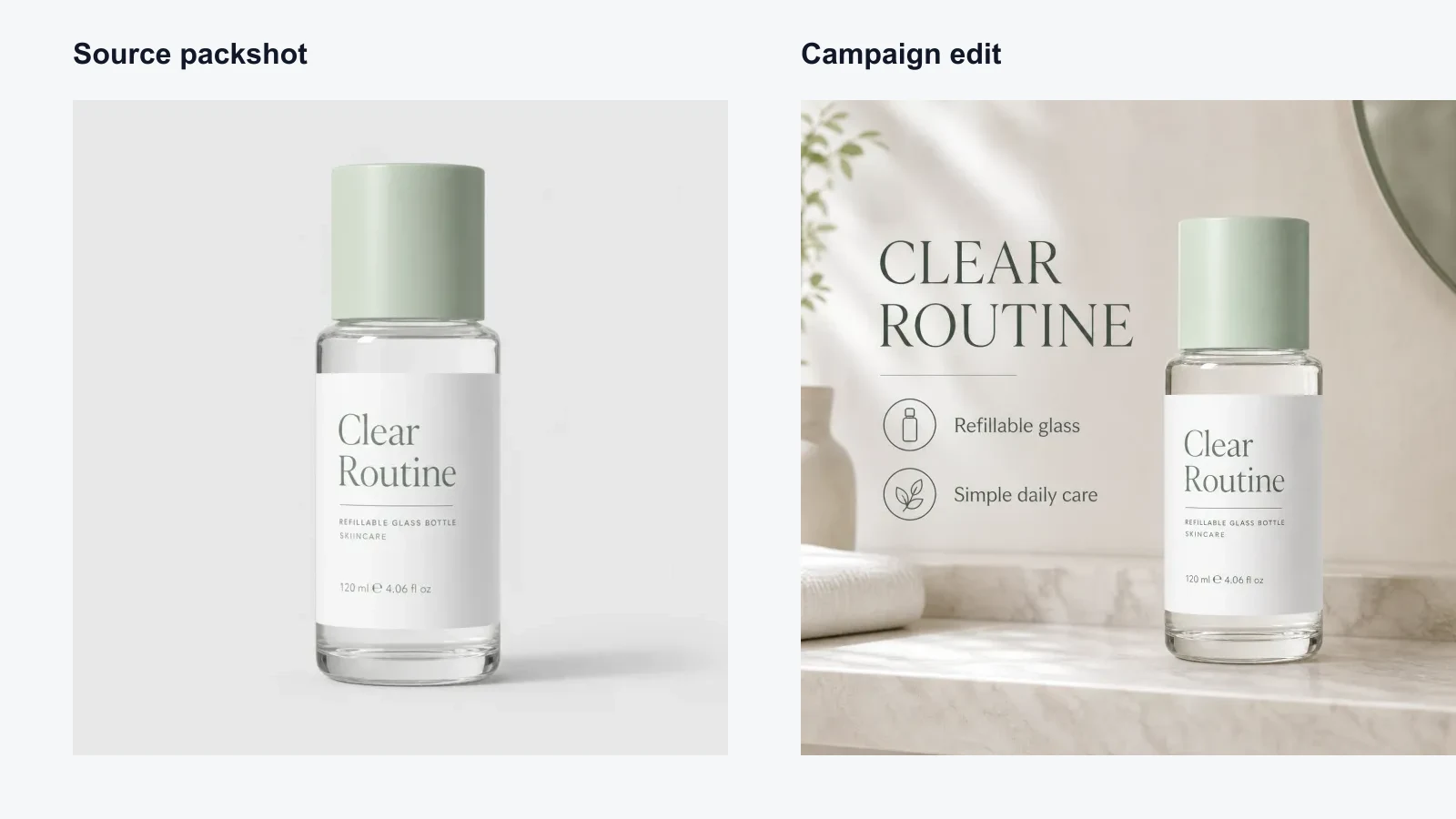
Use this model when these jobs match your first run.
Turn a packshot or product source into a cleaner marketing frame.
Keep composition or product facts close to a source image.
Use 2K before spending on 4K text-to-image runs.
Keep the first generation narrow and easy to grade.
Say which product details, text zones, and materials must stay.
Change lighting or background first, not everything at once.
Check labels, edges, proportions, and included items.
Avoid wasting credits by checking these constraints.
AuraTuner blocks 4K for Nano Banana Pro image-to-image mode.
Use GPT Image-2 when exact poster copy or dense text is the main job.
Do not let the prompt invent awards, ratings, or compliance text.
Yes. AuraTuner supports Nano Banana Pro in image-to-image mode, which is the recommended first setup on this page.
Start with 2K. In AuraTuner, Nano Banana Pro 1K and 2K both cost 40 credits, while 4K costs more and is not available for image-to-image.
Use Nano Banana Pro for controlled visual edits. Use GPT Image-2 when readable poster text or layout copy is the main requirement.
Yes, but write explicit preservation rules for product shape, color, label area, and materials before generating.