Image Workflow

AI poster generator for readable campaign text

Use this workflow when the poster needs real words inside the image: a headline, offer, date, feature callouts, or small labels. Start with exact copy, generate a readable layout, then proofread the parts most likely to drift.

Built for exact headline and callout prompts
Works for product launches, event flyers, and sale posters
Low-cost GPT Image-2 poster preset
One-click editor preset with poster copy prefilled
Best for headline, callout, event, sale, and spec-sheet drafts where text must be inside the image.
Paste exact copy into the prompt; do not ask the model to invent dates, prices, specs, or claims.
Use the first pass to judge hierarchy, then proofread small text before final use.

Poster rules

Make the first pass easy to judge

Readable poster generation works best when the prompt has exact text, a clear hierarchy, and a realistic amount of copy. Use the first run to test structure before adding dense details.

Start here

Start with one headline and a few callouts

A poster with one main headline and three short feature lines is easy to judge. If the model cannot keep that clean, a denser flyer will not improve.

Avoid early

Keep dense labels for the second pass

Small names, menu items, tables, and repeated labels are where text errors hide. Test the layout first, then add density only when the direction works.

Revision

Revise a good layout instead of restarting

When a poster direction works, upload it as a reference and ask for a controlled copy, palette, or hierarchy change. A fresh prompt often changes too much.

Limit

Do not publish without proofreading

Dates, prices, legal copy, brand names, and multilingual text need human review. Treat the output as a strong design draft, not a publication-ready final.

Workflow

Write the poster brief before you generate

If the model has to invent the copy, you cannot tell whether the output failed at design or failed at content.

1Write the copy first

Do not ask the model to invent the offer. Paste the exact headline, subhead, labels, date, price, and disclaimer you need.

2Lock the hierarchy

Tell the model what should be largest, what should be secondary, and which labels must stay small but readable.

3Proofread before final

Check spelling, numbers, brand names, small labels, hands, product edges, and any claim before using the poster publicly.

Prompt examples

Copy-ready prompts for text posters

These prompts are intentionally explicit about exact text. Use them as starting points, then swap in your real product, event, or offer.

Product launch poster

Create a 3:4 premium product launch poster for a desk lamp called "Luma Arc". Exact headline: "LIGHT THAT KEEPS FOCUS". Include three readable feature callouts: "Adaptive warm light", "Glare-soft diffuser", "Desk-friendly footprint". Use crisp editorial typography, a centered product hero, clean negative space, and no invented claims.

Event flyer

Create a 3:4 event flyer for "NIGHT MARKET JAZZ". Exact details: Friday, June 12, 7 PM, Harbor Hall. Include "Live trio", "Food stalls", and "Free entry before 8 PM". Use warm evening lighting, a readable title, and a clear date block.

Sale poster

Create a 4:5 social sale poster for a skincare brand. Exact headline: "48-HOUR GLOW EVENT". Include "20% off sets", "Ends Sunday", and "Use code GLOW20". Keep all text readable, avoid extra offer claims, and use a fresh studio campaign look.

Brief format

Use this structure when your poster has real copy

This keeps the model focused on the parts you can verify: format, exact text, hierarchy, and guardrails.

Format

Poster type, aspect ratio, and output use. Example: 4:5 social sale poster.

Exact copy

Headline, subhead, date, price, CTA, disclaimer, and any labels.

Hierarchy

Say what should be largest, secondary, grouped, or small but readable.

Guardrails

Tell it not to invent claims, prices, awards, specs, logos, or legal text.

Reusable prompt frame

Create a [ratio] [poster type] for [subject]. Exact headline: "[headline]". Required text: [copy blocks]. Make [primary element] largest, [secondary element] smaller, and keep [labels] readable. Use only the provided copy; do not invent claims.

Assets

Compare your result against these three checks

Use each example to compare hierarchy, small-text accuracy, and revision stability.

Clean hierarchy draft

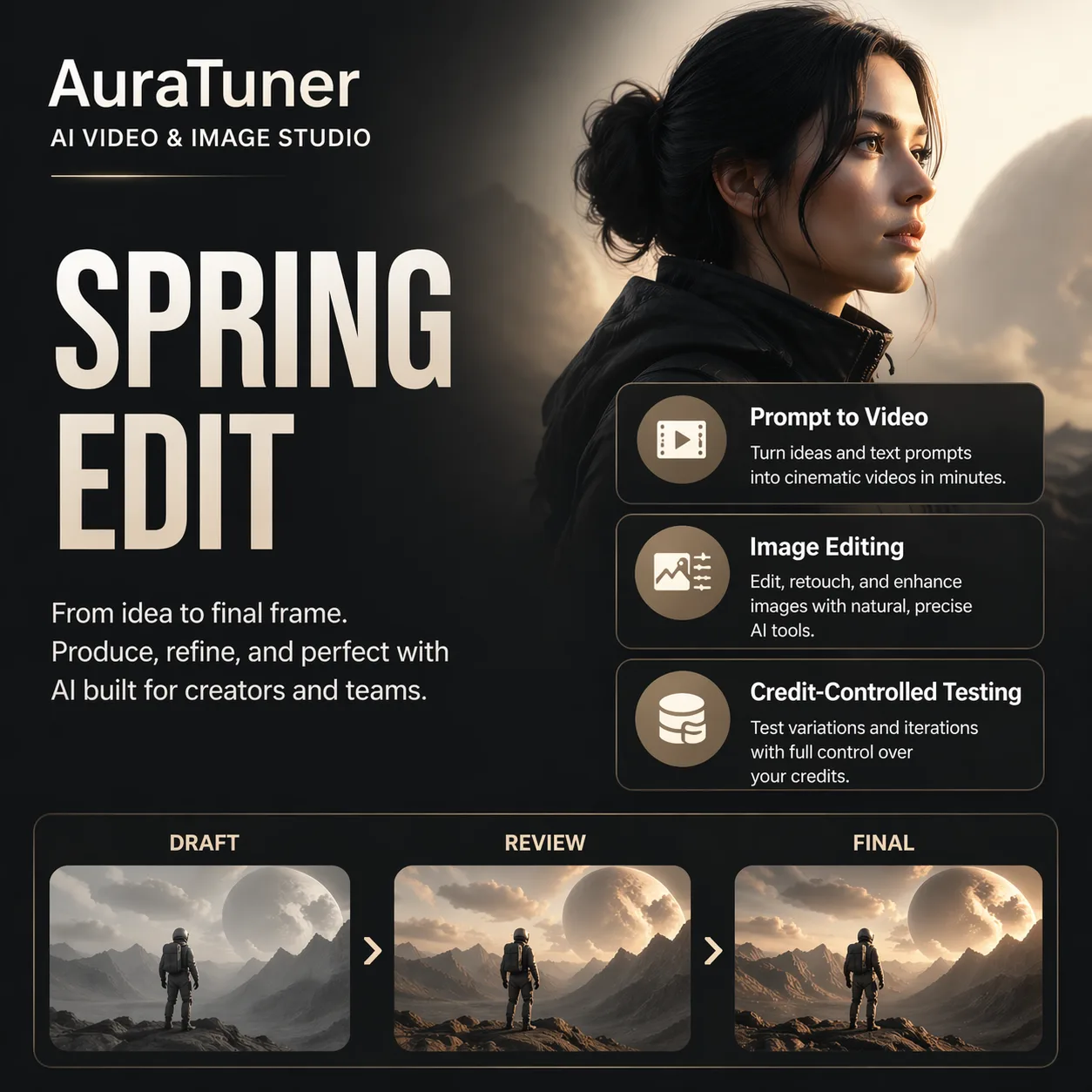
Check: Headline size, visual hierarchy, and short callout readability.

Fix: If the headline crowds the subject, ask for more negative space and one fewer supporting text block.

Controlled revision

Check: Whether the layout, spacing, and text hierarchy survive a copy, palette, or style revision.

Fix: If the new pass changes too much, upload the better poster as reference and ask it to preserve composition.

Dense text risk

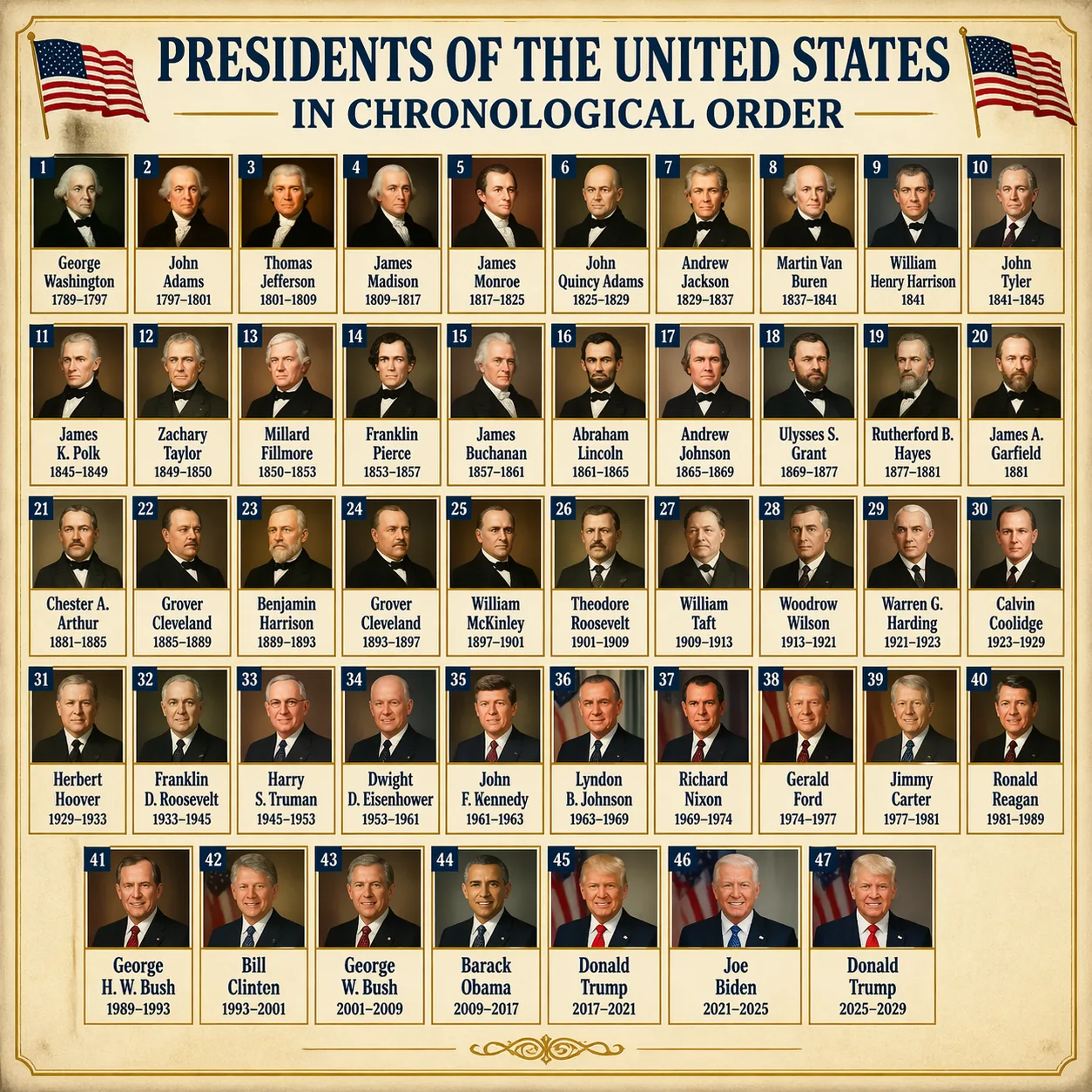
Check: Small names, numbers, repeated labels, tables, and chronology.

Fix: If small text breaks, split the layout into fewer blocks or make labels larger before adding more detail.

Evidence

Four real layouts worth testing against

Use these as practical benchmarks. A good poster workflow should handle a simple campaign layout first, then survive denser labels, product transformation, and multi-item compositions.

Launch poster

Use for: Headline scale, product hierarchy, and short callouts.

Watch: Do not add dense legal copy until the basic hierarchy works.

Dense chart

Use for: Small labels, repeated text, chronology, and table-like layouts.

Watch: Zoom in. Plausible small text is not the same as correct small text.

Asset transformation

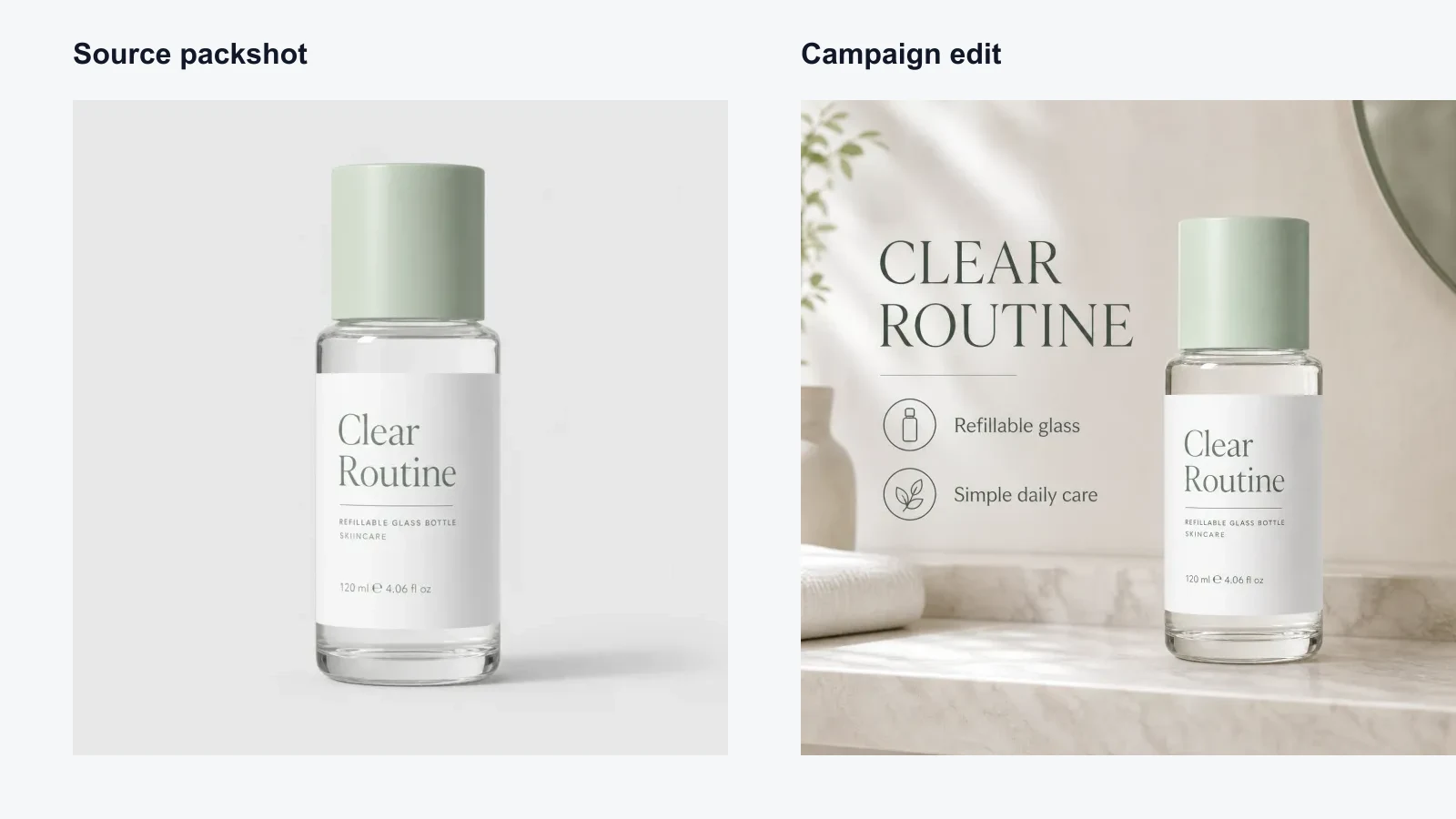
Use for: Turning a raw product image into a campaign-style poster.

Watch: Check shadows, reflections, product edges, and invented claims.

Labeled collage

Use for: Multi-item layout, label placement, and repeated subject consistency.

Watch: Inspect straps, hands, intersections, and handwritten labels.

Reference edits

When a poster is close, reuse the structure instead of starting over

Reference edits are the practical path after a good first draft. Keep the composition and ask for a constrained change.

Poster copy and palette edit

Change the headline and palette while keeping the poster structure intact.

Source
Result

Use image-to-image when a layout is already close. The goal is to preserve the layout, spacing, and text hierarchy, not ask for a brand-new poster.

Labeled fashion layout edit

Keep the eight-look grid and outfit separation while changing the visual tone.

Source
Result

This is the right pattern for catalog boards, lookbooks, and comparison posters: preserve layout first, restyle second.

Quality check

What to inspect before publishing

Readable text is the advantage, but it still needs human review. Use this checklist before publishing or running a final revision.

Exact words

Check every headline, offer, date, price, and brand name.

Multilingual copy

Review each language separately when the poster mixes scripts.

Small labels

Zoom in on callouts, tables, menu items, and disclaimers.

Claims

Remove invented specs, awards, prices, or guarantees.

The headline is readable, but the layout feels crowded

The prompt probably asked for too many messages at once. Posters fail fast when the hero image, headline, offer, and feature list all compete for first place.

Try: Add: "Keep one dominant headline, one product hero, and no more than three supporting callouts. Use more empty space around the headline."

Small text looks plausible until you zoom in

Dense text is the fragile part. If the page needs a menu, schedule, table, or many labels, validate the type size before judging the design.

Try: Add: "Use fewer, larger text blocks. Keep every label short. Do not compress small text into decorative texture."

The model invents claims or changes your offer

The prompt gave the model room to market for you. That is risky for prices, dates, specs, discounts, legal copy, and product claims.

Try: Add: "Use only the exact copy provided. Do not add new offers, awards, guarantees, technical specs, or price claims."

A revision improves style but loses the original structure

A plain text revision often turns into a new generation. Use image-to-image when the layout structure is already good.

Try: Upload the better poster as a reference and add: "Preserve the layout, product placement, and text hierarchy. Change only the palette and headline copy."

Start with the poster brief prefilled

Open AuraTuner with GPT Image-2, a vertical poster setup, and a prompt that already includes exact-copy instructions.

Open Poster Preset

Related Pages

AI Poster Generator with Text FAQ

These answers focus on the practical poster job: readable copy, layout hierarchy, and proofing before publication.

Can AuraTuner generate posters with readable text?

Yes. The GPT Image-2 workflow is a strong fit for poster drafts with headlines, callouts, menus, labels, and multilingual copy. You should still proofread every word before publishing.

What should I include in an AI poster prompt?

Include the poster format, exact headline, required body copy, hierarchy, visual subject, brand tone, palette, and the text that must not be invented.

Is this better for posters or editable design files?

Use it for fast poster concepts and campaign image drafts. If you need layered vector files, generate the direction first, then rebuild or refine the final design in a design editor.

Which model should I start with?

Start with GPT Image-2 when readable text and layout matter. Use other image presets only when the job is more about illustration style, product realism, or high-resolution polish than typography.