Product Workflow

Product photo to video AI for stable product ads

Use this workflow when the product photo is already the source of truth. Add camera motion, light movement, reflections, or a short ad loop without redesigning the product.

Product source images included
One-click Veo 3.1 Lite preset
Best when product shape, color, material, or label area must stay close to the source photo.
Start with small motion: push-in, light sweep, reflection shift, or a tiny orbit.
Use the output as a product ad, PDP loop, launch teaser, or social product clip after checking fidelity.

What this page is for

Use product photo to video when the still is already approved

The main decision is not which broad video generator to use. It is whether your source image gives the model enough product information to move the camera without changing the object.

The source photo is the control layer

A clean product still gives the model product shape, materials, shadows, and framing. It is safer than asking text to invent the product again.

First motion should be small

Push-ins, light sweeps, reflections, and tiny orbits are easier to inspect than unboxing, pouring, or hand interaction from one still.

Use video after the packshot is approved

If the label, SKU, shape, or color is still changing, fix the still first. Video should test motion, not redesign the product.

Reference assets

Three product source photos, three motion prompts

Each example pairs a source image with the finished motion style and the prompt constraints that keep product shape, material, and framing stable.

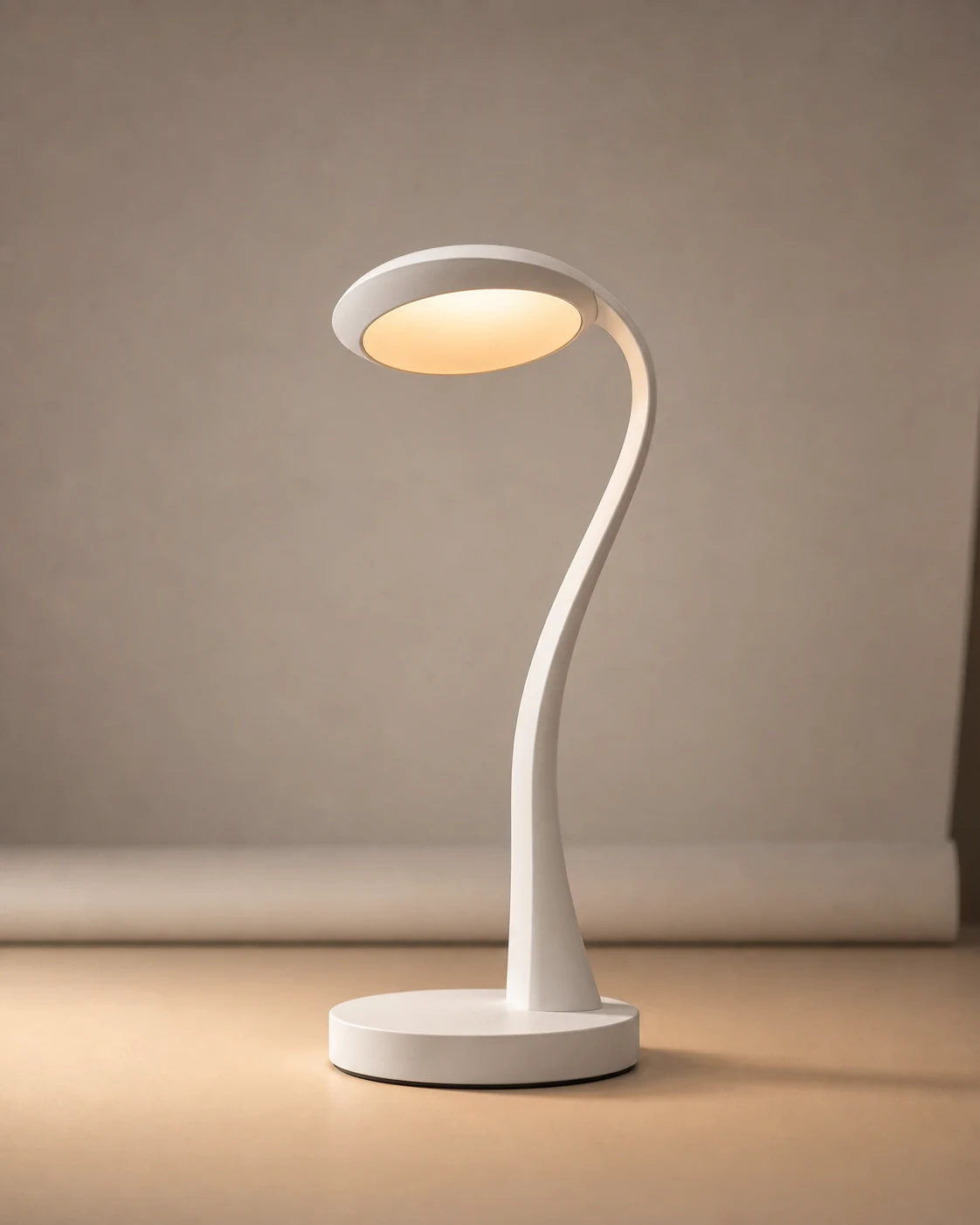
Desk lamp PDP loop

Ready

Source

Generated source product photo of a white desk lamp.

Output

Use when product silhouette and a warm light effect matter.

Video prompt

Animate this product photo into a premium 8-second vertical 9:16 PDP hero loop. Preserve the exact lamp shape, white matte material, circular base, glowing diffuser, and neutral tabletop. Add a slow camera push-in, subtle light bloom from the diffuser, gentle shadow shift, and controlled studio light sweep. No product redesign, no logo, no text, no extra objects, no background change, no exaggerated rotation.

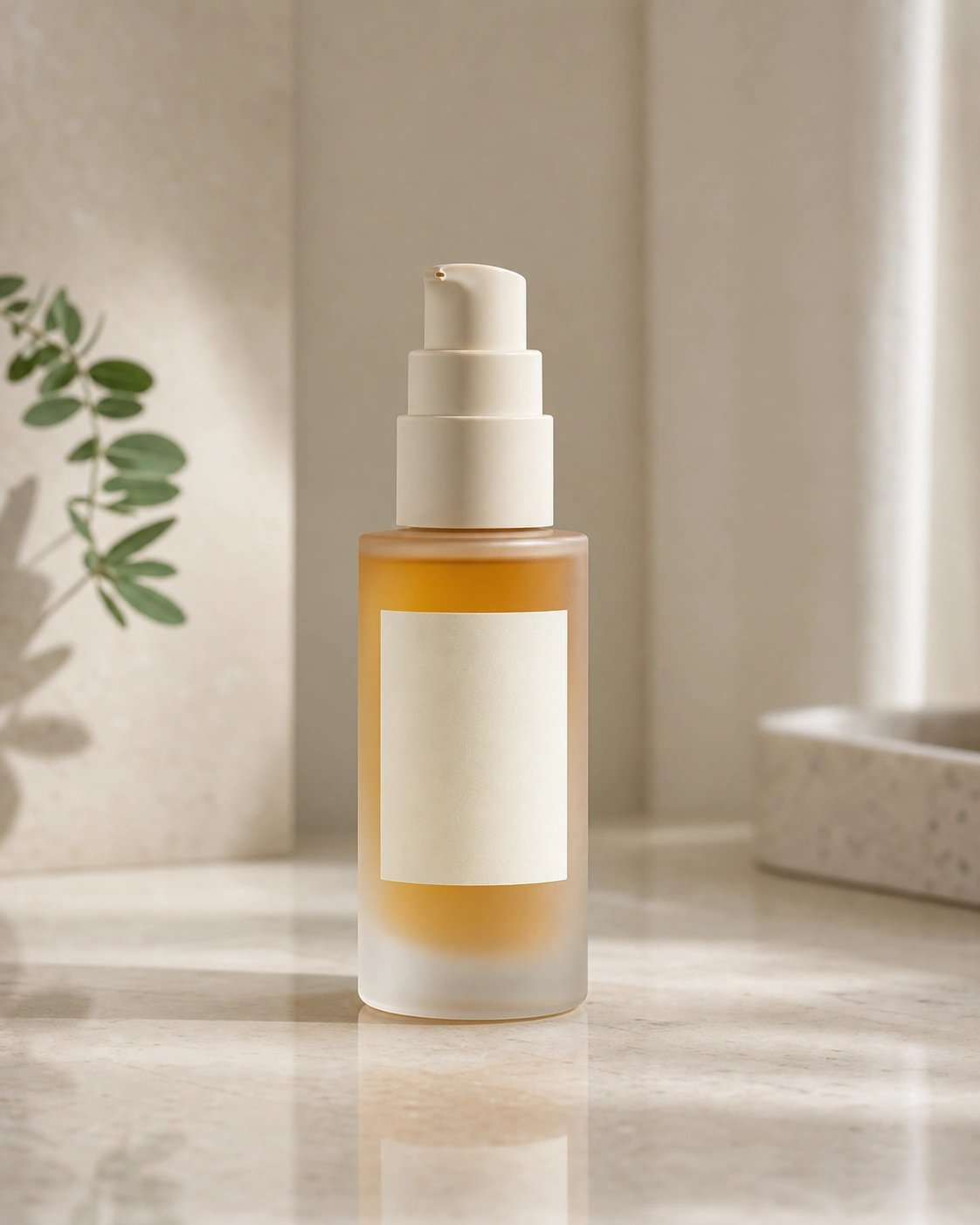
Skincare bottle ad

Ready

Source

Generated source product photo of a frosted serum bottle.

Output

Use when glass, label area, and soft beauty lighting matter.

Video prompt

Animate this skincare product photo into a clean vertical 9:16 beauty ad clip. Preserve bottle shape, blank label panel, pump geometry, frosted glass, amber liquid, and tabletop reflection. Add a slow vertical push-in, soft sunlight movement, subtle liquid and glass shimmer, and gentle leaf shadow drift. No label text, no hand, no face, no extra products, no bottle deformation.

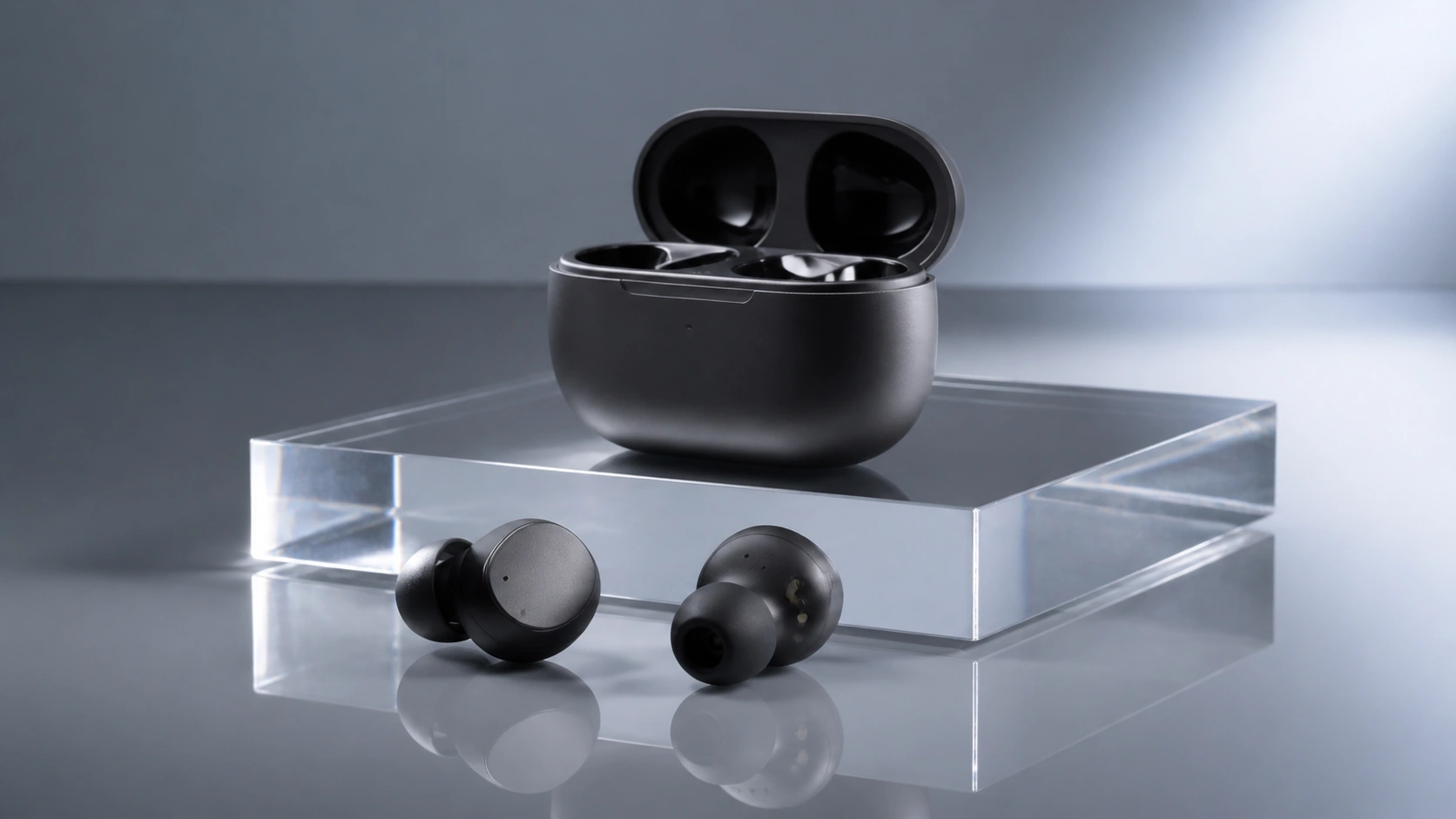
Earbuds launch macro

Ready

Source

Generated source product photo of matte graphite earbuds.

Output

Use when tech materials and reflection control matter.

Video prompt

Animate this product photo into a premium 16:9 tech launch macro clip. Preserve earbuds, open case, matte graphite material, acrylic riser, and product positions. Add a slow left-to-right camera slide, controlled specular highlights, faint reflection movement, and shallow depth-of-field breathing. No logos, no UI, no extra accessories, no product shape changes, no case closing.

Source discipline

Make the first product video easy to inspect

A strong first run changes one thing: motion. Keep the product, material, label area, and composition stable so the result is easy to grade.

Use

Good first source

One product, visible edges, clean background, stable shadows, and enough empty space around the object for a small camera move.

Avoid

Risky first source

Tiny labels, cropped packaging, reflective clutter, hands covering the product, or lifestyle scenes where the object is not the main subject.

Motion

Best first motion

A slow camera push, tiny orbit, light sweep, reflection movement, steam, glow, or soft shadow drift that does not rewrite product geometry.

Later

Second-pass motion

Hand pickup, pour, splash, unbox, ingredient reveal, or product transformation after you already know the packshot survives basic motion.

Workflow

Run the first product video like a fidelity test

Start with the most conservative motion that can prove the product survives animation before spending credits on variants.

1Start from an approved product photo

Use a still where the product shape, material, label area, and framing are already close to what you want to ship.

2Animate one motion idea

Ask for a small camera move or light behavior first. Do not combine product rotation, hand action, label changes, and background changes in one test.

3Inspect product fidelity before style

Check edges, labels, ports, caps, reflections, proportions, and contact shadows before judging whether the clip feels polished.

Failure patterns

What usually breaks in product photo to video

These are the checks that matter before you spend on variants or a final ad cut.

Label or logo drift

Small product text can blur, invent characters, or change position. Keep the first page focused on shape and material unless the label is large and clean.

Geometry rewrite

Large orbit moves force the model to invent hidden sides. That is where bottles bend, cases change, and product proportions stop matching the still.

Hand interaction too early

Hands add occlusion, new poses, and object deformation. Test pickup or unboxing only after a simple packshot loop works.

Lifestyle scene takes over

If the prompt asks for a full commercial scene, the product may become a prop. Keep the product as the main subject in the first pass.

Start with the product photo preset

Open AuraTuner with a product source image, Veo 3.1 Lite, and a conservative image-to-video prompt already filled in.

Open Product Preset

Related Pages

Product Photo to Video AI FAQ

These answers focus on the practical ecommerce job: keeping product shape stable while adding enough motion for ads and product pages.

What product photo works best for image to video?

Use a clean packshot or PDP photo with the full product visible, readable edges, stable shadows, and enough background room for a small camera move. Avoid crowded lifestyle photos when product shape must stay exact.

Should I use product photo to video or text to video?

Use product photo to video when the product design, packaging, color, or approved composition must stay close to the source image. Use text to video only when the product concept is still open.

What motion should I ask for first?

Start with a slow push-in, small orbit, light sweep, reflection movement, or background shadow drift. Save hand interaction, pouring, splashing, and unboxing for later tests because they change more geometry.

Can this make product ads for ecommerce and social?

Yes. The strongest first use is a short PDP loop, paid social product shot, launch teaser, or simple UGC insert where the product stays stable and the camera motion sells the material.